How to verify compatibility before you buy
Work through these in order. Each one can independently stop the whole plan, so confirming them in sequence saves you from buying a part you cannot use.
1. Confirm your charge port.Rivian has been through the industry-wide transition from CCS to native NACS ports. If your vehicle already has a native NACS port, you do not need this adapter at all — you plug straight in, and the adapter you might want is the opposite direction for CCS stations. Look at the port before anything else.
2. Confirm Supercharger access in the Rivian app. Non-Tesla Supercharger access is account-based: the vehicle has to be recognized and the session initiated through the appropriate app. If your account and vehicle are not enrolled, the stall will not deliver power no matter what adapter you hold.
3. Confirm the specific site is enabled.Not every Supercharger location is open to non-Tesla vehicles, and stall hardware and cable length vary by site. The DOE’s Alternative Fuels Data Center station finder and the Tesla and Rivian apps all show which sites are open to which vehicles.
4. Then choose the adapter. Manufacturer-supplied first, third-party second.
What the adapter does, physically
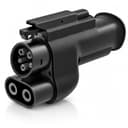
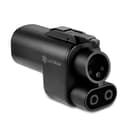
It translates the NACS connector on the Supercharger cable to the CCS1 inlet on your car, passing DC at several hundred volts along with the communication lines that let the station and the vehicle negotiate a safe charging session. It is passive — it adds no capability the car does not already have, and it cannot make an unauthorized session work.
Because it carries DC at high current, this is the accessory where safety certification matters most. A listing naming UL 2252, the standard for EV coupler adapters, is telling you an independent laboratory has evaluated it. Our main NACS-to-CCS roundup ranks the category on exactly that basis, and our AC vs DC charging guide explains why DC adapters are a different proposition from the AC ones elsewhere on this site.
Cable reach and parking, which matters for a big vehicle
Supercharger stalls were laid out for Tesla’s charge port location, which is at the rear left of the vehicle. A Rivian’s port is not in that spot, and Supercharger cables are short. In practice that often means parking across two bays or pulling in at an angle to get the cable to reach — awkward at a busy site, and a real consideration on an R1T with a long wheelbase. Adding an adapter to the end of the connector also adds length and weight, which is leverage on your charge port. Support the assembly rather than letting it hang.
Expect a slower session than a Rivian Adventure Network stall
Superchargers were engineered around Tesla’s pack voltage. Many non-Tesla EVs use higher-voltage architectures, and where the two do not match cleanly the station may deliver less power than either device is nominally capable of. Add the normal DC taper — charging slows steeply past roughly 50–60% state of charge — and a Supercharger session may be noticeably slower than the peak numbers suggest.
That is not a fault and not something an adapter fixes. Treat Supercharger access as a large increase in where you can charge rather than a guarantee of how fast. On a long trip through territory with sparse CCS coverage, availability is worth more than peak kW anyway.
What we would skip
Skip any adapter that publishes no voltage rating and names no safety standard. Skip buying before you have confirmed the port, the account and the site. And skip this page entirely if your Rivian has a native NACS port — in that case Superchargers need no adapter, and what you may want instead is a CCS-to-NACS adapter for using CCS stations. If the naming is confusing, our connector guide untangles it.